Mileage Tracker App for Taxes and Reimbursements: What to Track and How to Choose
Learn what a mileage tracker app should record for taxes, reimbursements, business mileage, and IRS-ready mileage logs.
A mileage tracker app is useful only if it helps you keep records that survive real workdays. The point is not just seeing a distance total. You need trips captured consistently, business and personal driving separated, purpose notes preserved, and exports that make sense when you prepare taxes, request reimbursement, or review business vehicle use.
That is why broad searches like automatic mileage tracker, mileage tracker for taxes, business mileage tracker, and mileage reimbursement app all point to the same underlying need: drivers want one reliable place to track business mileage without rebuilding their records later.
This guide explains what a mileage tracker app should record, which use cases matter most, when a spreadsheet is still enough, and how to choose a tool that fits tax and reimbursement workflows.
Last reviewed for IRS guidance: 2026-05-11
What Is a Mileage Tracker App?
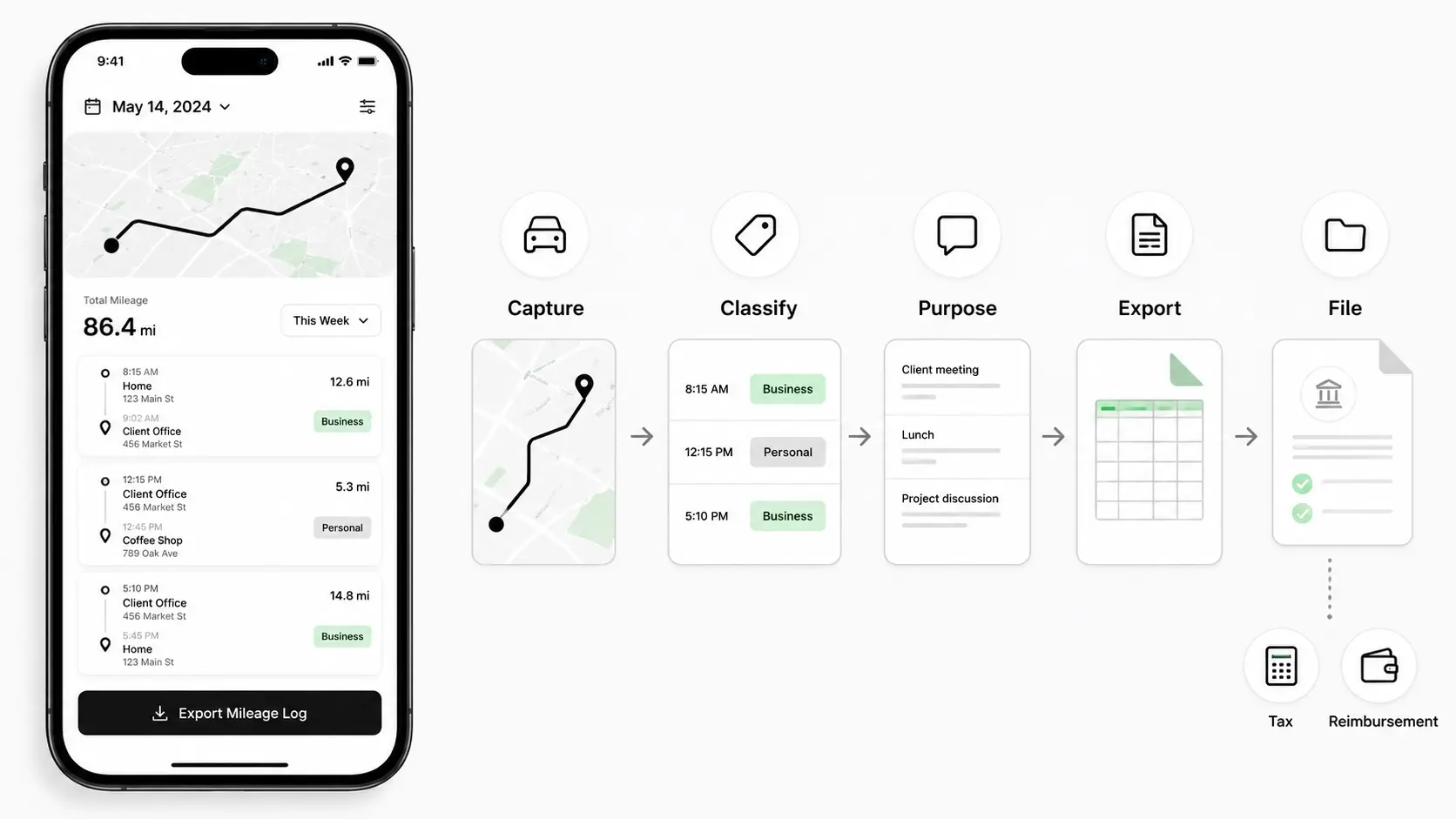
A mileage tracker app records vehicle trips and turns them into a usable mileage log. The best apps do more than calculate distance. They help you capture the details that make a trip understandable later.
At minimum, a useful app should help you answer five questions:
- When did the trip happen?
- Where did it start and end?
- How many miles were driven?
- Was the trip business, commute, or personal?
- What was the business purpose?
That last question is where many basic tracking tools fall short. A distance total without purpose is weak. A route without classification is incomplete. A yearly summary without trip-level detail is hard to review.
This is why a mileage log app should be judged by record quality, not only by how many charts it shows. If you are using the data for taxes, reimbursements, accounting, or client billing, the app should create records that explain the driving, not just count it.
For a complete process view, read our guide on how to track mileage for taxes.
Who Needs a Mileage Tracker App?
The strongest use case is anyone who drives for work often enough that memory and manual logs become unreliable.
Common users include:
- Self-employed consultants who visit clients
- Rideshare and delivery drivers
- Real estate agents and property managers
- Contractors and field service workers
- Small business owners using a personal vehicle
- Employees who submit mileage reimbursement claims
- Teams that need consistent mileage records from multiple drivers
A self-employed mileage tracker is usually focused on tax deductions and Schedule C records. A mileage tracker for small business may also need reporting, reimbursement support, and cleaner records for bookkeeping.
The core problem is similar across both groups. Drivers need to capture trips near real time, classify them correctly, and export a reliable log when someone asks for proof. That someone may be a tax preparer, an employer, a finance manager, or the driver themselves during year-end cleanup.
If you drive once a month for work, a simple spreadsheet may be fine. If you drive every week, an app usually becomes less about convenience and more about avoiding missing or weak records.
Mileage Tracker App Use Cases: Taxes, Reimbursements, and Business Records
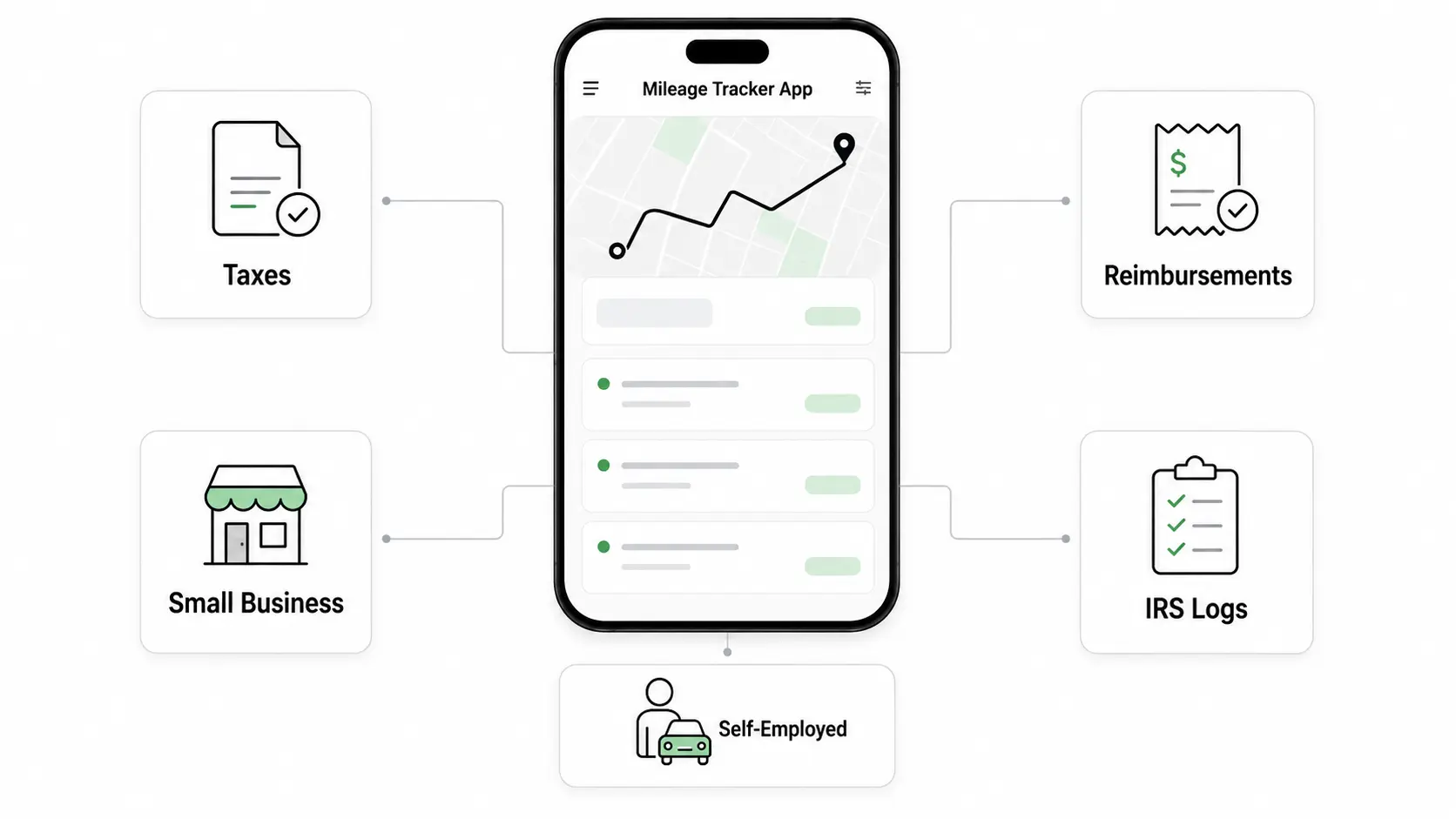
A wide keyword topic works here because mileage tracking sits at the center of several related jobs.
Taxes
A mileage tracker for taxes helps drivers support deductible business miles. The app should keep trip-level details, not just annual totals. For self-employed drivers, those details can directly affect the quality of the deduction record.
Reimbursements
A mileage reimbursement app is used when someone needs to submit or review mileage for repayment. The record should show distance, date, route context, purpose, and any applied rate. For teams, consistency matters because managers need comparable submissions.
Business operations
A business mileage tracker can also support planning and cost review. Even when taxes are not the immediate goal, business owners still need to understand how much driving is tied to clients, jobs, regions, or service routes.
IRS-ready logs
IRS mileage tracking is not about an app being officially approved by the IRS. It is about whether the records support the required facts: date, mileage, destination or route context, and business purpose.
The overlap is clear. Tax records, reimbursement claims, and business reports all depend on the same foundation: trip-level data captured consistently.
What a Good Mileage Tracker App Should Record
A good app should make the right record easy to create. At a practical level, look for these fields:
- Trip date
- Start and end location
- Distance
- Business or personal classification
- Purpose or notes
- Vehicle, if you use more than one
- Export format
- Rate or reimbursement context when needed
For tax and reimbursement purposes, purpose notes deserve special attention. Notes like "work" or "meeting" are too vague. Better notes include a client, job, task, or business reason:
- Client estimate for Project Mesa
- Equipment pickup for Job 1842
- Property inspection for rental unit
- Business deposit at bank
The app should also make corrections manageable. Real records are not perfect on the first pass. You may need to split a mixed trip, change a classification, or add a missing note after reviewing your calendar.
If your main concern is IRS documentation, our deeper guide to IRS mileage log requirements for 2026 explains the recordkeeping baseline.
Automatic Mileage Tracker vs Manual Mileage Log
An automatic mileage tracker records trips in the background. A manual log requires you to start, stop, or write entries yourself.
Manual tracking can work when trip volume is low and the driver is disciplined. It gives you control, and a spreadsheet is often enough for occasional business driving.
The weakness is friction. Manual systems break when days get busy. A driver forgets to start the log, skips a trip, or waits until the end of the week and loses details.
Automatic tracking is stronger when:
- You drive frequently
- You switch between business and personal trips
- You need cleaner weekly review
- You want fewer missed drives
- You need exportable records for taxes or reimbursement
Automatic does not mean everything is finished without review. You still need to classify trips and add purpose where needed. The advantage is that the trip was captured before you had to remember it.
If you are currently comparing tools, our best mileage tracking apps for 2026 article explains how to evaluate automation, exports, and audit-ready records.
If you want to keep mileage records year-round with less manual cleanup, start with Drivance.
Mileage Tracker for Taxes: What the IRS Cares About
For U.S. tax purposes, the app is only helpful if the records support the deduction. The IRS cares about substantiation, which means you need records that explain the business use of the vehicle.
The most useful official references are:
The rate page helps you verify the mileage rate for the relevant tax year. Publication 463 gives broader context on travel, vehicle expenses, and recordkeeping.
The important distinction is this: the mileage rate tells you how to calculate the value of qualifying miles, but your log explains which miles qualify.
A good business mileage tracking app should help you avoid common tax record problems:
- Missing trips
- Vague purpose notes
- Business and commuting miles mixed together
- Annual totals without trip detail
- No export or backup before filing
Classification matters as much as capture. If you are unsure whether a trip is deductible business driving or commuting, review our guide to business miles vs commuting miles.
Mileage Reimbursement App: What Employees and Businesses Need
Mileage reimbursement has a different workflow from self-employed tax deduction, but the recordkeeping needs overlap.
An employee or contractor submitting mileage usually needs:
- Date of travel
- Route or destination
- Business purpose
- Miles claimed
- Applied reimbursement rate
- Notes for review or approval
A manager or business owner usually needs:
- Consistent submission format
- Clear purpose notes
- Deduction of normal commute where required by policy
- Exportable records for payroll or accounting
- A way to reject or correct unclear claims
This is where a mileage reimbursement app can be useful even when tax filing is not the main goal. It gives both sides a cleaner record of what was driven and why it should be reimbursed.
The key is not just paying the correct amount. It is keeping records that explain the payment. If a business reimburses mileage without clear purpose and distance support, it creates accounting noise and review risk.
For small teams, a simple app and monthly export may be enough. For larger teams, the important features become approval workflows, policy rules, and consistent reports.
Spreadsheet vs Mileage Tracking App
A spreadsheet can be a good mileage system if the driver uses it consistently.
Use a spreadsheet when:
- Trip volume is low
- You review weekly
- You can enter purpose and classification accurately
- You already have a reliable backup routine
Use an app when:
- Trip volume is high
- You forget manual logs
- You need route history
- You need faster business and personal classification
- You want cleaner exports for taxes, reimbursement, or bookkeeping
The best question is not "Which is more powerful?" The better question is "Which system will still be accurate three months from now?"
If you choose a spreadsheet, keep the format simple. Use date, start, end, purpose, miles, classification, and notes. Our mileage log template for taxes gives you a copyable structure.
If you choose an app, check whether you can export your data in a useful format. A beautiful dashboard is less important than a clean mileage log when tax season or reimbursement review arrives.
Why Drivers Use Drivance
Drivance is built for drivers who want clean mileage records without turning every trip into a manual admin task.
It focuses on:
- Automatic trip tracking
- Business and personal classification
- Detailed route traces
- IRS mileage rate snapshots
- Excel exports for tax prep and bookkeeping
That makes it useful for self-employed professionals, gig drivers, field workers, and small business owners who need a practical way to track business mileage throughout the year.
The value is not just time saved. It is fewer missed trips, clearer review habits, and records that are easier to explain when you need them.
If your current system depends on memory, scattered notes, or a spreadsheet you update only during tax season, Drivance gives you a cleaner process. Capture the trip first, review it while the context is fresh, then export when you need records.
FAQ
What is the best mileage tracker app for taxes?
The best app is the one that captures trips consistently, lets you classify business and personal driving, supports clear purpose notes, and exports trip-level records. For tax use, record quality matters more than a flashy dashboard.
Do I need an automatic mileage tracker?
You may not need one if you drive for business only occasionally and update a log every week. If you drive frequently, an automatic tracker usually reduces missed trips and makes review faster.
Can I use a mileage tracker app for reimbursements?
Yes. A mileage tracker app can support reimbursement if it records date, route or destination, miles, purpose, and rate context. Businesses should still apply their own reimbursement policy before paying claims.
Is a mileage tracker app better than a spreadsheet?
An app is usually better for frequent driving because it captures trips automatically and reduces manual cleanup. A spreadsheet can still work for low-volume drivers who review records consistently.
What should a mileage log app include for IRS records?
It should include trip date, start and end location, miles driven, business purpose, classification, and exportable trip-level detail. Odometer context and supporting notes can make the record stronger.
Final Takeaway
A mileage tracker app should help you create records that are complete, understandable, and useful later. That means captured trips, clear classification, specific purpose notes, and exports that support taxes, reimbursements, and business review.
The broad keyword matters because the job is broad. Drivers are not just searching for an app. They are trying to protect deductions, get reimbursed correctly, run a small business, and avoid last-minute mileage cleanup.
If you want to keep mileage records year-round with less manual cleanup, start with Drivance.